Manage buildings with context
Move from a room or technical installation directly to the documentation your team needs.

Give property teams, tenants and service partners a shared visual view of your buildings. Find spaces, locate technical equipment and put building information where it belongs.
Discuss your facility
Move from a room or technical installation directly to the documentation your team needs.
Share a precise location and supporting information, so everyone knows where the work is.
Use points of interest and visual navigation to make spaces and services easier to find.
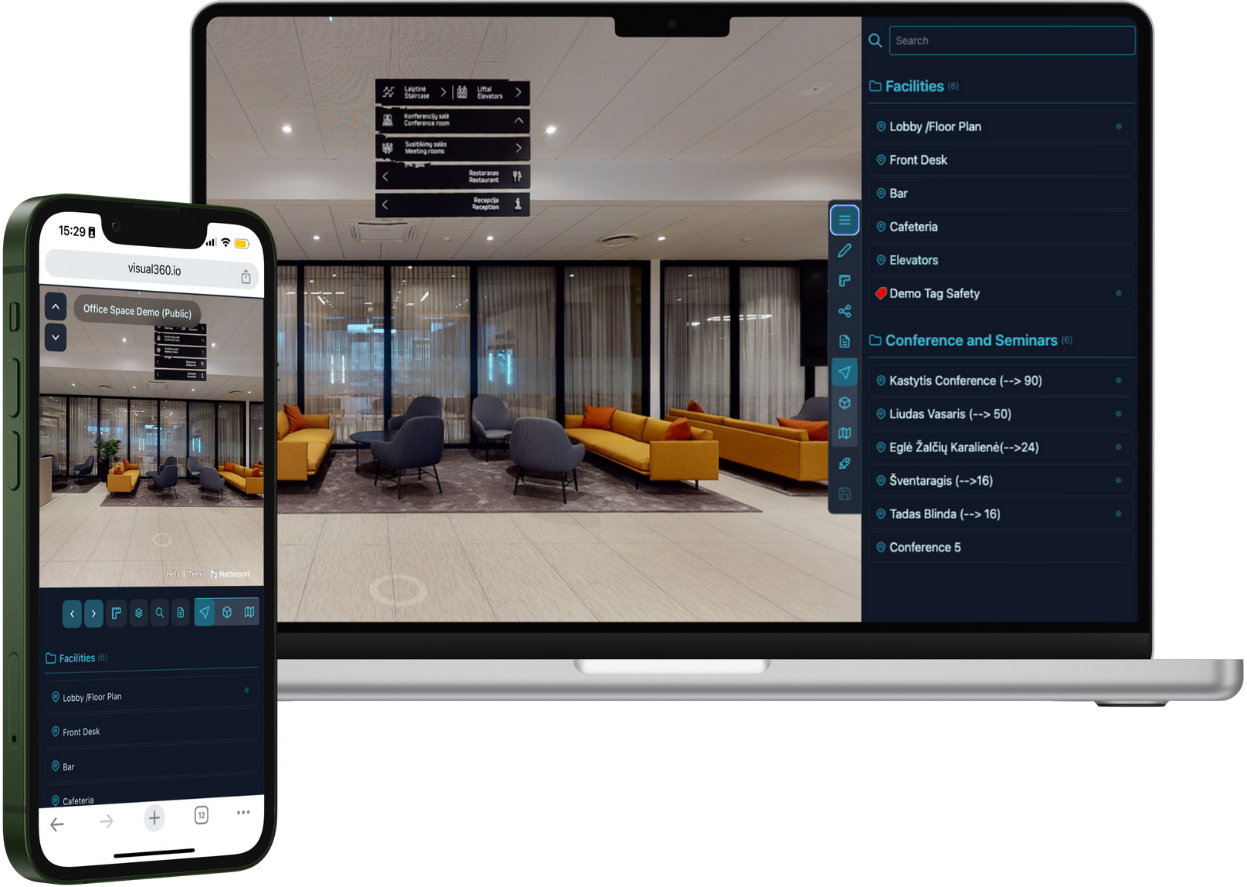
Long email threads and incomplete descriptions make even simple tasks difficult. A navigable digital twin gives everyone the same visual reference for planning, maintenance and everyday building operations.
See V360 in actionStart with a clear use case, then connect the people and information around it.
Connect rooms, systems and equipment to relevant building documentation.
Highlight meeting rooms, entrances, services and other useful destinations.
Review layouts and provide a visual starting point for contractors and new teams.
Navigate, document, measure and collaborate in a photorealistic representation of your facility.
Documentation in context
Add documentation and assets such as drone imagery, floor plans and evacuation diagrams, providing essential contextual information at a glance.
Check dimensions remotely
Take measurements within the captured space. Measurement accuracy is 98–99%, depending on the detail level of the 3D capture of the premises.
Work from the same view
Work with your team or share a digital twin with external stakeholders, such as contractors and consultants. Share exact locations, attach comments, documentation and work assignments.
Highlight what matters
Mark specific objects or areas of interest, such as a fire extinguisher or a safety hazard. Tags can also link to external resources, including websites and SharePoint documents.
Connect your existing information
Link each Point of Interest or Tag to cloud-based documentation, such as maintenance logs, work orders and manuals.
Make locations easy to find
Add a location symbol and a descriptive label in the navigation menu to help people identify and navigate to the right place.
Connect assets to maintenance manuals, work orders and cloud-based documents. Update interactive tags for your team and keep asset information accessible to authorised users.
Move through the office and explore the navigation and information available in the interactive digital twin.
Let’s explore how a visual workspace could support your team.